How to delete your account
You can delete your Okalenda account directly from our mobile application. Please note that this action is permanent and cannot be undone.
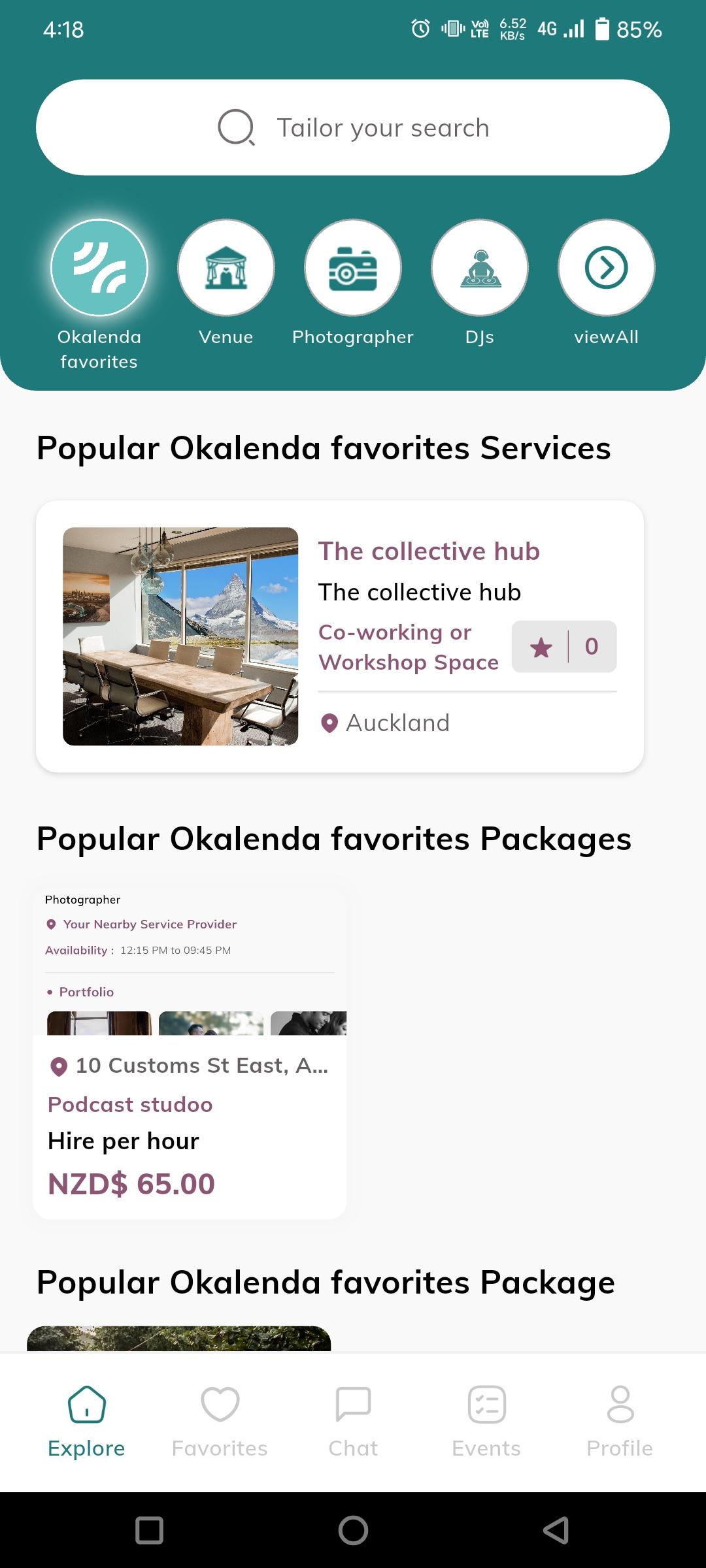
Open the Okalenda App
Launch the Okalenda application on your mobile device. Ensure you are logged into the account you wish to delete.
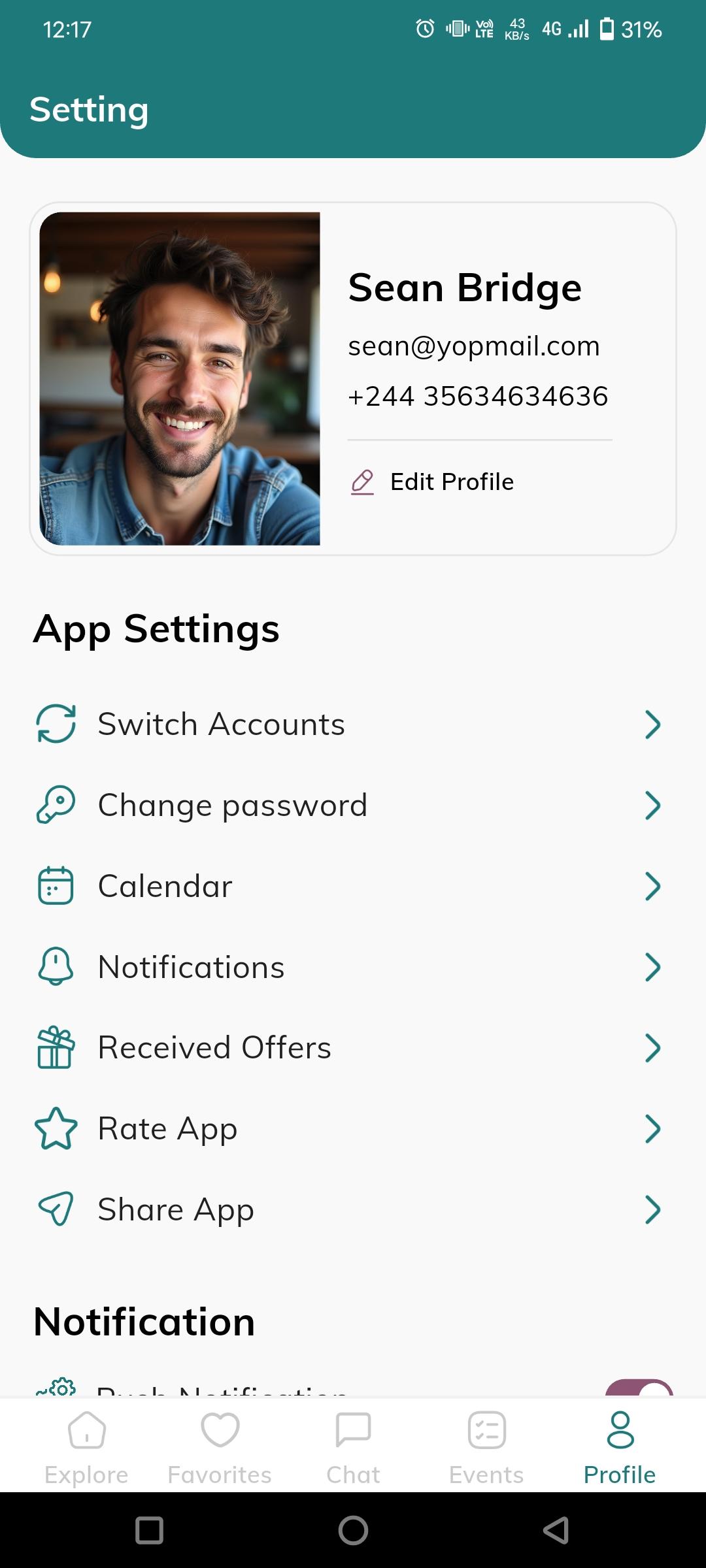
Go to your Profile
Tap on the "Profile" icon located in the bottom navigation bar. This will take you to your personal settings and account management page.
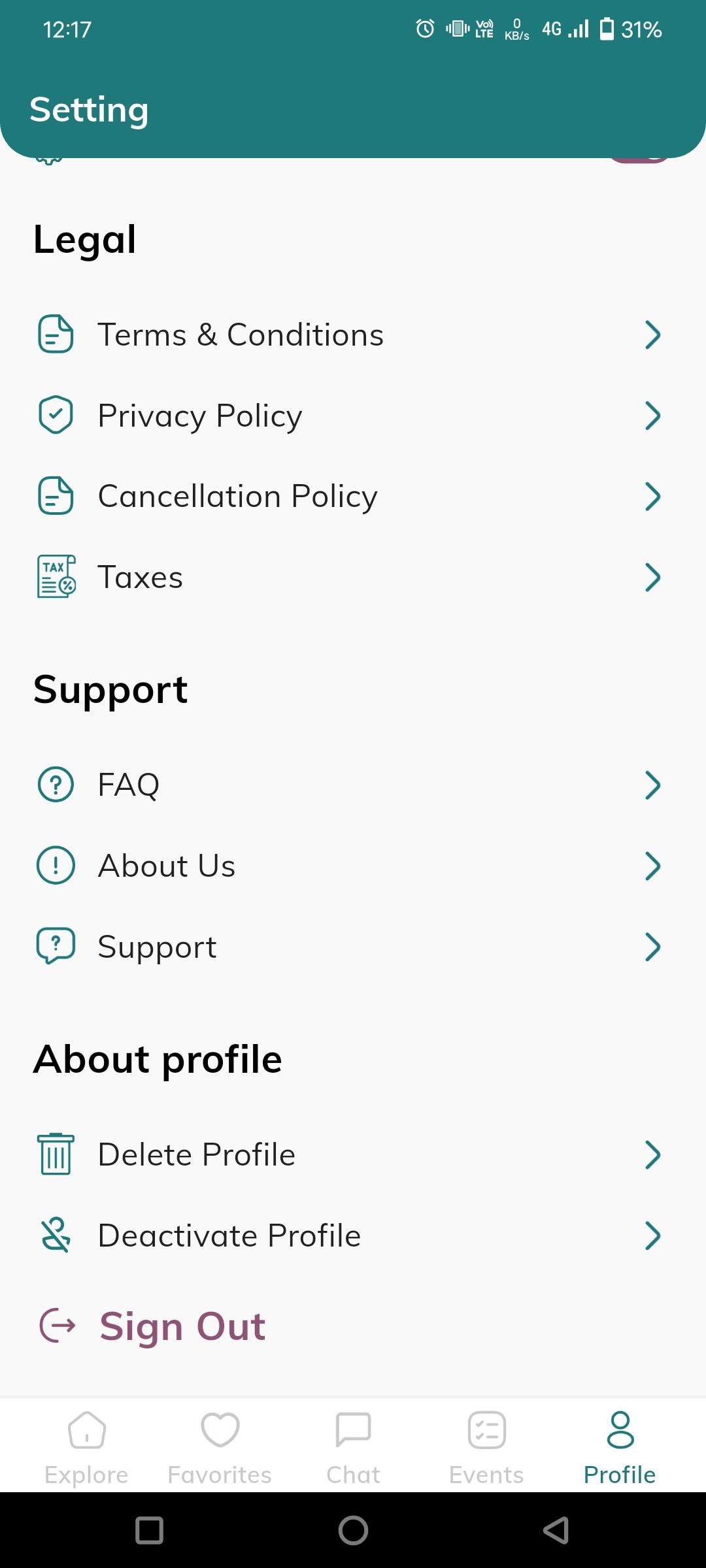
Select Delete Profile
Scroll down to the "About profile" section. You will find the Delete Profile option. Tap on it to initiate the process.
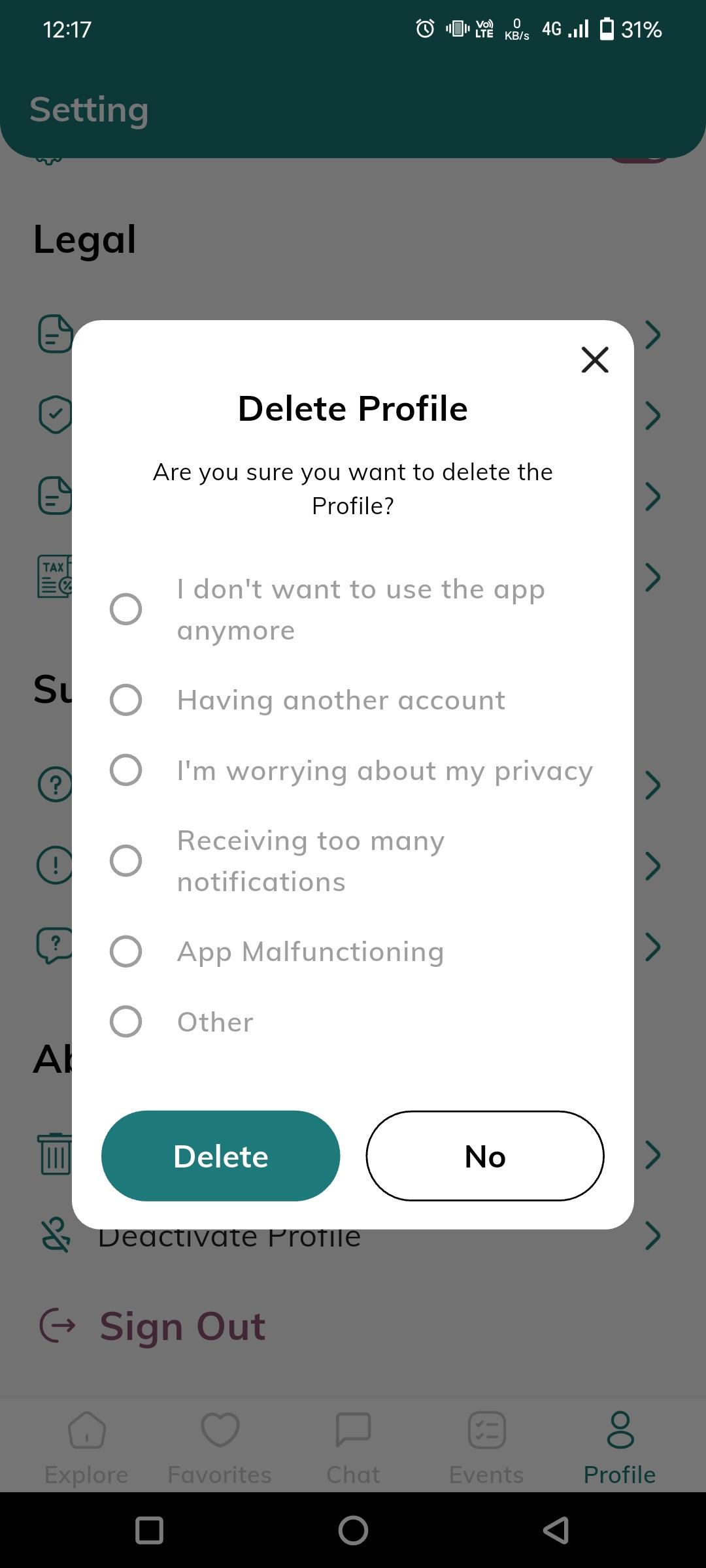
Confirm Deletion
A confirmation dialog will appear. Select the reason why you want to leave and tap on the Delete button to finalize the process.
Important Notice
Once your account is deleted, all your data, including your profile information, booking history, and saved favourites, will be permanently removed from our systems. You will not be able to recover this information later.
Data Retention Policy
When you delete your account, we remove all personally identifiable information associated with your profile. However, some transactional records (such as past payment receipts) may be retained for a limited period as required by law or for legitimate business purposes like tax and accounting.
For more details, please read our Privacy Policy.